
Cloud offerings have fundamentally changed how businesses run their technology — you no longer need a server room, a dedicated IT team, or a massive upfront investment to access enterprise-grade infrastructure. You pay for what you use, scale when you need to, and hand off the complexity to specialists.
If you are a small business owner, a SaaS founder, or running an ecommerce operation, understanding cloud offerings is directly relevant to how much you spend on technology and how fast you can grow. This guide explains what cloud offerings are, the different types available, how they compare to traditional setups, and how to choose the right option for your situation.
What Are Cloud Offerings?
Cloud offerings refer to computing services — servers, storage, databases, software, networking, and analytics — delivered over the internet by a third-party provider. Instead of buying and maintaining physical hardware, you access these resources on demand through a provider's data centers.
The term "cloud offerings" covers everything from renting raw server space to subscribing to fully built software applications. Think of it as the difference between buying a car, leasing one, or simply using a taxi. Each model gives you transportation, but the ownership, cost structure, and responsibility look completely different.

The cloud computing model rests on three core principles:
- On-demand self-service: You provision computing resources — storage, processing power, bandwidth — without requiring human interaction with the provider.
- Broad network access: Services are available over the internet from any device, anywhere.
- Pay-as-you-go pricing: You pay for actual consumption, not reserved capacity you may never use.
For a small retail business, this might mean running your inventory system on a cloud server instead of a dedicated machine in the back office. For a SaaS company, it means your entire product runs on infrastructure you do not own but can scale in minutes.
Types of Cloud Offerings: IaaS, PaaS, and SaaS
Cloud offerings are organized into three service models. Each one hands off a different level of responsibility to the provider, which directly affects cost, control, and complexity.
Infrastructure as a Service (IaaS)
IaaS gives you virtualized computing infrastructure — servers, storage, and networking — over the internet. You manage the operating system, middleware, and applications. The provider manages the physical hardware.
This is the most flexible cloud offering. You get raw building blocks and configure them however you need. AWS EC2, Google Compute Engine, and Microsoft Azure Virtual Machines are classic IaaS examples.
Best for: Businesses with in-house technical teams who need maximum control over their environment — SaaS companies building custom applications, development teams running complex workloads.
Platform as a Service (PaaS)
PaaS goes one layer higher. The provider manages the infrastructure and the operating system. You focus entirely on building and deploying your application. You do not worry about patching servers or configuring networks.
Google App Engine, Microsoft Azure App Service, and Heroku operate in this space. A developer using PaaS can push code and have it running in a production environment without touching a single server configuration file.
Best for: Development teams who want to ship faster without managing infrastructure. SaaS product companies building web applications find PaaS particularly useful for reducing DevOps overhead.
Software as a Service (SaaS)
SaaS is the cloud offering most people encounter daily. The provider manages everything — infrastructure, platform, and the application itself. You simply log in and use the software. Shopify, Salesforce, Google Workspace, and Slack are all SaaS products.
Best for: Businesses that need ready-to-use tools without any technical setup. An ecommerce store using Shopify is consuming a SaaS cloud offering — no servers to manage, no software to install.
Comparing the Three Cloud Offering Types
IaaS vs PaaS vs SaaS: Key Differences
| Service Model | You Manage | Provider Manages | Best For |
|---|---|---|---|
| IaaS | OS, apps, data, middleware | Hardware, networking, virtualization | Dev teams needing full control |
| PaaS | Applications, data | Hardware, OS, middleware, runtime | Developers building and deploying apps |
| SaaS | Data and user settings only | Everything else | Business users needing ready-made tools |
The further you move from IaaS to SaaS, the less technical responsibility you carry — but also the less flexibility you have to customize the environment.
Cloud Offerings vs On-Premise Solutions
On-premise means your servers, storage, and software live physically in your office or a data center you control. You buy the hardware, install the software, and your IT team manages everything.
Cloud offerings flip this model. Here is where the real differences show up:

- Upfront cost: On-premise requires significant capital expenditure — servers, licenses, cooling systems, backup power. Cloud offerings convert this to an operational expense, typically monthly.
- Scalability: Scaling on-premise means buying more hardware, which takes weeks. Cloud offerings scale in minutes — you add capacity through a dashboard.
- Maintenance: On-premise puts patching, upgrades, and hardware failures on your team. Cloud providers handle this automatically.
- Security responsibility: On-premise gives you full control over security. Cloud offerings share this responsibility — the provider secures the infrastructure, you secure your data and access controls. For guidance on keeping cloud environments safe, the topic of How to Secure Cloud Server covers this in depth.
- Downtime risk: A well-architected cloud deployment across multiple availability zones typically achieves 99.9%+ uptime. On-premise systems depend entirely on your own redundancy investment.
For most small businesses and ecommerce operations, the math strongly favors cloud offerings. The exception is businesses with strict data residency requirements, highly specialized hardware needs, or existing infrastructure they have already paid for.
Benefits of Cloud Offerings for Businesses
The practical advantages of cloud offerings are concrete and measurable, not theoretical.
Cost efficiency: A 2023 Flexera report found that 47% of cloud spend goes to waste due to over-provisioning. The flip side is that businesses that right-size their cloud offerings reduce infrastructure costs by 30–40% compared to equivalent on-premise setups.
Speed to market: An ecommerce company launching a new product line can spin up additional server capacity in under five minutes. The same operation on-premise would require procurement, installation, and configuration over days or weeks.
Geographic reach: Cloud offerings from major providers include data centers across multiple continents. An Indian SaaS company serving customers in Europe can serve those users from European data centers, reducing latency without opening a physical office abroad.
Disaster recovery: Cloud offerings make backup and recovery dramatically simpler. Data replication across regions means a hardware failure in one data center does not take down your service.
Access to advanced services: Cloud providers offer managed databases, machine learning APIs, content delivery networks, and security tools that would cost millions to build independently. A small business using Sygitech's managed cloud services gets access to this infrastructure without needing a team of specialists to run it.
Key Insight: The real advantage of cloud offerings is not just cost — it is that they put enterprise-grade capabilities within reach of businesses that could never afford to build equivalent infrastructure themselves.
Popular Cloud Service Providers
The market for cloud based service providers is dominated by a few large platforms, each with distinct strengths.
Amazon Web Services (AWS) is the largest cloud provider globally, holding approximately 31% of the cloud infrastructure market as of recent industry data. AWS offers the broadest catalog of cloud offerings — over 200 services covering compute, storage, databases, machine learning, and more.
Microsoft azure is the second-largest provider and the strongest choice for businesses already running Microsoft software. Azure cloud offerings integrate tightly with Office 365, Active Directory, and Windows Server environments. Azure is particularly strong for hybrid cloud offerings — scenarios where some workloads stay on-premise and others move to the cloud.
Google Cloud Platform (GCP) holds the third position and leads in data analytics and machine learning services. GCP's BigQuery and Vertex AI are industry benchmarks for data workloads.
Smaller and regional providers — including managed cloud service companies like Sygitech — serve businesses that need more hands-on support, India-specific infrastructure, or a partner that manages cloud complexity on their behalf rather than handing them a console and a bill.
The distinction between public cloud offerings and managed cloud services matters here. Public cloud offerings from AWS, Azure, or GCP give you tools and infrastructure — you configure and manage them. Managed cloud services mean a provider like Sygitech handles the configuration, monitoring, optimization, and support, so you focus on your business rather than your infrastructure.
Hybrid Cloud Offerings: The Middle Ground
Hybrid cloud offerings combine on-premise infrastructure with public cloud resources, connected through a private network. This model is increasingly common among mid-size businesses that have existing infrastructure investments but want the flexibility of cloud for new workloads.
A typical hybrid scenario: a financial services company keeps sensitive customer data on-premise to meet regulatory requirements, but runs its web application and analytics workloads on public cloud offerings for scalability. The two environments communicate securely and appear as a single unified system to end users.
Hybrid cloud offerings are more complex to manage than pure cloud deployments. They require careful network architecture and consistent security policies across both environments. For businesses considering this path, the topic of Shared Vs Dedicated Hosting provides useful context on the infrastructure decisions that underpin hybrid setups.
How to Choose the Right Cloud Offering
The right cloud offering depends on four factors: your technical team's capabilities, your budget model, your compliance requirements, and your growth trajectory.
Work through these questions:
-
What is your team's technical depth? If you do not have in-house cloud engineers, a managed cloud service is almost always the right starting point. Raw IaaS from a major provider requires expertise to configure securely and cost-effectively.
-
What is your primary workload? Running a web application is different from processing large datasets, which is different from hosting a SaaS product. Each workload has a natural fit with specific cloud offerings.
-
What are your compliance requirements? Businesses handling health data, financial records, or personal data of EU citizens face regulatory constraints that affect which providers and regions they can use. India-based businesses should verify that their chosen provider offers data residency in India if required.
-
What is your cost model preference? If predictable monthly costs matter more than maximum flexibility, a managed cloud service with fixed pricing is more suitable than consumption-based public cloud offerings that can spike unexpectedly.
-
How fast do you need to scale? Ecommerce businesses with seasonal traffic spikes — say, around Diwali or year-end sales — need cloud offerings that can handle 10x normal traffic without manual intervention.
The National Institute of Standards and Technology (NIST) defines cloud computing standards that most enterprise providers follow. Checking a provider's compliance with NIST guidelines is a useful baseline when evaluating security and reliability.
Cloud Offerings Pricing and Cost Considerations
Cloud offerings pricing follows a few common models, and understanding them prevents bill shock.
Cloud Pricing Models
| Pricing Model | How It Works | Best For |
|---|---|---|
| Pay-as-you-go | Billed by the hour or second for resources consumed | Variable workloads, development environments |
| Reserved instances | Commit to 1–3 years upfront for 30–60% discount | Stable, predictable workloads |
| Spot/preemptible | Bid for unused capacity at 60–90% discount | Batch processing, non-critical workloads |
| Managed service flat fee | Fixed monthly fee for a defined service scope | Businesses wanting predictable costs |
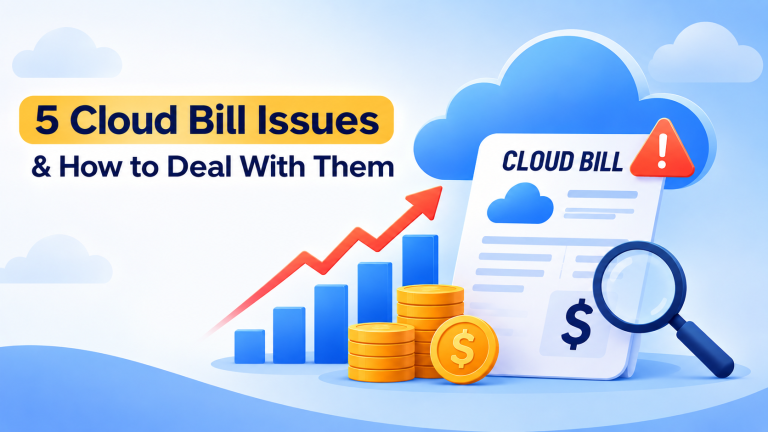
The most common mistake businesses make with cloud offerings is treating pay-as-you-go as the default for everything. Reserved instances for stable workloads can cut costs by half. A SaaS company running a database 24/7 should almost never be on pure pay-as-you-go pricing.
Data transfer costs are the hidden expense in cloud offerings. Ingress (data going into the cloud) is typically free. Egress (data leaving the cloud to your users) is charged — and at scale, this becomes significant. Ecommerce platforms serving large media files should factor egress costs into their provider selection.
Managed cloud services typically bundle infrastructure, monitoring, security, and support into a single monthly fee. For businesses without dedicated cloud engineers, this model often costs less in total than unmanaged cloud offerings — because the expertise that prevents costly misconfigurations and over-provisioning is included.

Common Questions About Cloud Offerings
What is the difference between public and private cloud offerings?
Public cloud offerings run on shared infrastructure owned by a provider like AWS or Azure. Multiple customers share the same physical hardware, though their data and workloads are isolated. Private cloud offerings run on infrastructure dedicated to a single organization — either on-premise or hosted by a provider exclusively for that customer. Public cloud offerings cost less and scale faster. Private cloud offerings offer more control and are preferred in highly regulated industries.
Are cloud offerings secure for business data?
Cloud offerings from reputable providers meet stringent security standards — ISO 27001, SOC 2, and for healthcare workloads, HIPAA compliance. The shared responsibility model means the provider secures the infrastructure, and you secure your data, access policies, and application layer. Most security incidents in cloud environments result from misconfiguration by the customer, not provider failures. Working with a managed cloud service provider reduces this risk significantly.
Can a small business afford cloud offerings?
Cloud offerings are specifically designed to be accessible at small scale. A basic web application can run on cloud infrastructure for the equivalent of a few hundred rupees per month. The pay-as-you-go model means you do not pay for capacity you do not use. Small businesses often find cloud offerings cheaper than maintaining even a single physical server when total cost of ownership — hardware, power, maintenance, and IT time — is factored in.
What is the difference between cloud offerings and managed cloud services?
Cloud offerings are the raw services — compute, storage, databases — that providers make available. Managed cloud services are when a specialist company takes responsibility for selecting, configuring, monitoring, and optimizing those cloud offerings on your behalf. With raw cloud offerings, you manage everything above the infrastructure. With managed cloud services, your provider handles the operational complexity so your team focuses on the business.
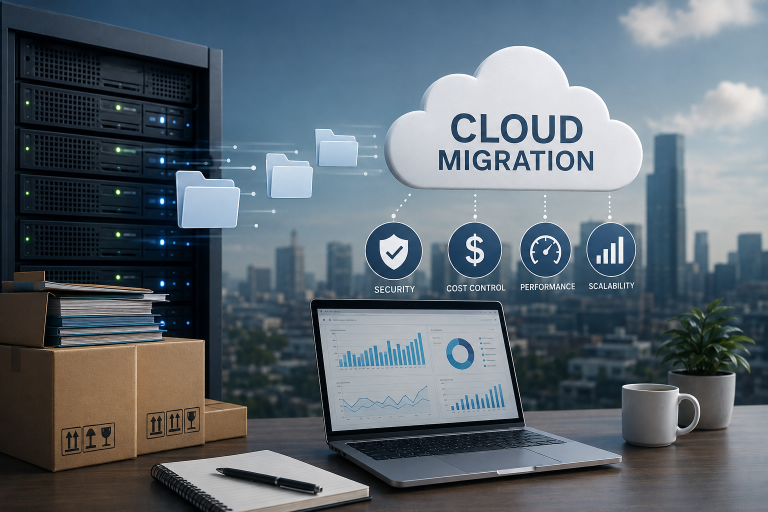
How do I migrate from on-premise to cloud offerings?
Migration typically follows a phased approach. Start by auditing your current workloads — identify which applications are cloud-ready, which need modification, and which should stay on-premise. Move low-risk workloads first: development environments, backups, and non-critical applications. Validate performance and cost before migrating production systems. Most businesses complete a meaningful migration within three to six months with proper planning and the right managed cloud partner.
What This Means for You
The right cloud offering can reduce your infrastructure costs, eliminate maintenance overhead, and give your business the same scalability that large enterprises use — without requiring a large technical team to manage it. Move your workloads to managed cloud infrastructure at Sygitech — expert configuration, ongoing monitoring, and India-based support included, so you get the benefits of cloud offerings without managing the complexity yourself. Ready to get started? Visit Sygitech to learn more.