
Amazon Web Services (AWS) gives you access to over 200 fully managed cloud services — from basic computing and storage to machine learning, databases, and global content delivery. If you are running a small business, building a SaaS product, or managing an ecommerce store, the services on AWS can replace entire on-premise infrastructure at a fraction of the cost. This guide walks you through every major category, how pricing works, how AWS compares to competitors, and exactly how to choose the right services for your situation.
What Services Does AWS Offer?
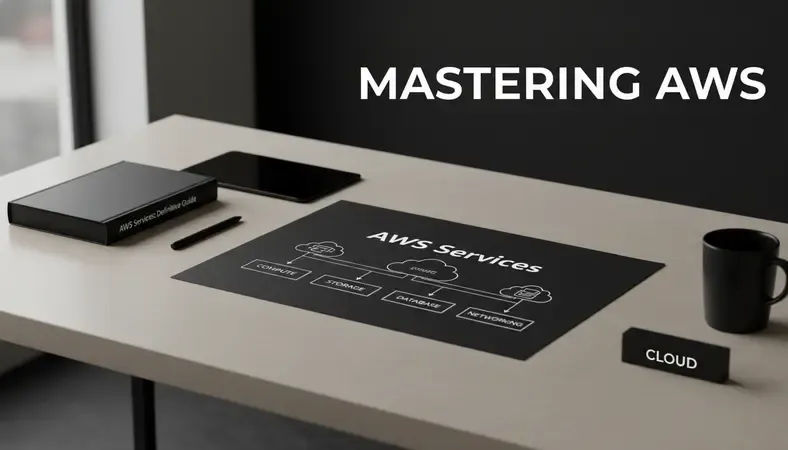
AWS is not a single product — it is a platform of over 200 distinct services organized into categories. Each service solves a specific infrastructure or application problem. You pick only what you need and pay for what you use.
The services on AWS span every layer of modern software infrastructure. You can provision a virtual server in under two minutes, store unlimited files, run code without managing any server at all, or deploy a fully managed relational database with automated backups. For ecommerce businesses, this means you can handle Black Friday traffic spikes without buying hardware. For SaaS companies, it means you can ship features faster without maintaining your own data centers.
AWS currently serves millions of customers across 190 countries. According to Amazon Web Services, the platform operates across 33 geographic regions with 105 availability zones — meaning your application can be physically close to your users anywhere in the world.
The breadth of services on AWS can feel overwhelming at first. The best approach is to understand the main categories, then narrow down to the handful of services your specific workload actually requires.
The Main Service Categories at a Glance
Overview of AWS Service Categories
| Category | What It Covers | Who Uses It Most |
|---|---|---|
| Compute | Virtual servers, containers, serverless functions | All business types |
| Storage | File storage, object storage, archiving | Ecommerce, media, SaaS |
| Database | Relational, NoSQL, in-memory, data warehousing | SaaS, analytics teams |
| Networking | Load balancing, DNS, CDN, VPN | All business types |
| Security | Identity management, encryption, compliance | All business types |
| Machine Learning | AI APIs, model training, natural language processing | SaaS, data teams |
| Developer Tools | CI/CD pipelines, code repositories, monitoring | Engineering teams |
| Analytics | Big data processing, real-time streaming, BI tools | Ecommerce, SaaS |
This table covers the primary groupings. Each category contains multiple individual services — compute alone includes EC2, Lambda, ECS, EKS, Lightsail, and more.
Types of AWS Services Explained
Understanding the types of services on AWS helps you build a mental model before you start clicking through the AWS Management Console. The three foundational layers are infrastructure, platform, and application services.
Infrastructure services (IaaS)
These give you raw computing resources you configure yourself. Amazon EC2 is the flagship example — it provides virtual machines (called instances) where you install your own operating system, software, and applications. You control everything. This is the right choice when you need maximum flexibility or when you are migrating an existing application that has specific server requirements.
EC2 instances range from tiny options suitable for development environments to memory-optimized machines with 24 TB of RAM designed for in-memory databases. You choose the instance type, the region, and the operating system.
Platform services (PaaS)
Platform services handle the infrastructure layer for you. AWS Elastic Beanstalk is a good example — you upload your application code and AWS automatically handles deployment, load balancing, scaling, and health monitoring. You focus on the application, not the servers underneath it.
AWS Lambda takes this further. Lambda is a serverless compute service where you write a function, upload it, and AWS runs it only when triggered. You never provision a server. You never pay for idle time. For a SaaS product that processes user uploads or sends notification emails, Lambda can handle millions of events per month at very low cost.
Application services (SaaS-style)
These are fully managed services where AWS handles everything — the infrastructure, the software, the updates, and the scaling. Amazon SES (Simple Email Service) for sending transactional emails, Amazon Rekognition for image analysis, and Amazon Translate for language translation all fall into this category. You call an API and get a result. There is nothing to manage.
The services on AWS that fall into this category are particularly valuable for small businesses and ecommerce stores that want to add sophisticated capabilities without hiring specialized engineers.

Popular AWS Services for Businesses
Out of 200+ options, a core set of services on AWS handles the majority of real-world business workloads. Here are the ones you will encounter most often.
Amazon EC2 — the workhorse
EC2 (Elastic Compute Cloud) is a virtual server in the cloud. You choose the hardware profile, pick an operating system, and have a running machine in minutes. Most web applications, APIs, and backend services run on EC2 or a managed version of it. EC2 supports auto-scaling, meaning it can automatically add more servers during traffic spikes and remove them when demand drops.
Amazon S3 — object storage for everything
S3 (Simple Storage Service) stores files as objects in buckets. An ecommerce store uses S3 for product images. A SaaS company uses it for user file uploads. A developer uses it to host a static website. S3 is designed for 99.999999999% durability — Amazon calls this "eleven nines." You can store any amount of data and retrieve it from anywhere.
AWS Lambda — serverless compute
Lambda runs your code in response to events without any server management. You pay only for the milliseconds your code actually runs. A common use case: an ecommerce store triggers a Lambda function every time an order is placed to send a confirmation email, update inventory, and push data to an analytics system — all automatically, all without a dedicated server.
Amazon RDS — managed relational databases
RDS (Relational Database Service) runs MySQL, PostgreSQL, MariaDB, Oracle, and SQL Server databases with automated backups, patching, and failover. For most SaaS applications and ecommerce platforms, RDS removes the operational burden of running your own database server while giving you full SQL compatibility.
Amazon CloudFront — content delivery network
CloudFront caches your content at 450+ edge locations worldwide. When a user in Mumbai requests a product image stored in an S3 bucket in the US, CloudFront serves it from the nearest edge location — reducing load times from seconds to milliseconds. For ecommerce businesses selling across India and Southeast Asia, CloudFront is often the single biggest performance improvement available.
Amazon IAM — identity and access management
IAM (Identity and Access Management) controls who can access what within your AWS account. Every user, application, and service gets only the permissions it needs. IAM is free and is the foundation of secure cloud operations. If you are thinking about how to secure cloud server environments, IAM policies are the first line of defense.
AWS Services vs Competitors
AWS was the first major cloud platform and still holds the largest market share. According to Statista, AWS held approximately 31% of the global cloud infrastructure market as of 2024, ahead of Microsoft Azure at 25% and Google Cloud at 11%.
How AWS Compares to Azure and Google Cloud
| Factor | AWS | Microsoft Azure | Google Cloud |
|---|---|---|---|
| Market share | ~31% | ~25% | ~11% |
| Service breadth | 200+ services | 200+ services | 150+ services |
| Strongest area | Compute, storage, serverless | Enterprise/Microsoft stack | Data analytics, ML |
| Pricing model | Pay-as-you-go + savings plans | Pay-as-you-go + reservations | Pay-as-you-go + committed use |
| Free tier | 12-month + always-free tier | 12-month + always-free tier | $300 credit + always-free tier |
| India regions | Mumbai, Hyderabad | Pune, Chennai | Mumbai, Delhi |
| Best for | General workloads, startups | Microsoft-heavy enterprises | Data science, analytics |
AWS has a clear advantage in ecosystem maturity — more third-party integrations, more community documentation, and more engineers with AWS certifications than any other platform. The AWS Skill Builder training platform offers hundreds of free and paid courses specifically designed to build proficiency with the services on AWS.
For businesses already using Microsoft 365 or Azure Active Directory, Azure may integrate more naturally. For data-heavy workloads like machine learning pipelines, Google Cloud's BigQuery and Vertex AI are serious competitors. For most small businesses, SaaS products, and ecommerce stores starting fresh, the services on AWS represent the lowest-risk, highest-support starting point.
Key Insight: The "best" cloud platform is the one your team can operate confidently. AWS wins on breadth and community support. Azure wins on Microsoft integration. Google Cloud wins on managed data services. Choose based on your actual stack, not market share alone.
How to Choose the Right AWS Services
The services on AWS cover so many use cases that choosing the wrong ones is a real risk — not because they will not work, but because you might over-engineer a simple problem. Here is a practical framework for making the right choice.
Step 1: Define your workload type
Ask yourself what you are actually building or running. A static marketing website needs S3 and CloudFront, nothing more. A dynamic web application needs EC2 or Elastic Beanstalk, RDS, and possibly ElastiCache. A data processing pipeline might need Lambda, S3, and Glue. Starting with the workload prevents you from defaulting to the most powerful (and expensive) option when a simpler one will do.
Step 2: Decide how much you want to manage
The services on AWS exist on a spectrum from "you manage everything" (EC2) to "AWS manages everything" (Lambda, RDS, DynamoDB). The more AWS manages, the less control you have — but the less operational work you do. For a small business without a dedicated DevOps engineer, managed services almost always make more sense.
Step 3: Check the free tier
AWS offers a free tier that includes 750 hours per month of EC2 t2.micro instances, 5 GB of S3 storage, 1 million Lambda requests per month, and dozens of other always-free or 12-month-free allocations. For startups and small businesses testing the services on AWS, the free tier lets you build and validate before spending a dollar.
Step 4: Use the AWS Management Console to explore
The AWS Management Console is the web-based interface where you access and configure all services on AWS. It is organized by service category and includes a search function. Before committing to an architecture, spend time in the console reading the service descriptions and pricing pages. The console also includes AWS Cost Explorer, which helps you forecast spending based on your expected usage.
Step 5: Consider managed cloud support
If you are not sure which services fit your needs, working with a managed cloud services provider removes the guesswork. A managed provider handles architecture decisions, security configuration, cost optimization, and ongoing support — so you focus on your product, not your infrastructure.
AWS Services Pricing Overview
The services on AWS are priced on a pay-as-you-go model — you pay only for what you use, with no upfront commitment required. This is a significant shift from traditional hosting, where you pay for capacity whether or not you use it.
The three main pricing models
- On-Demand: Pay per hour or per second with no commitment. Highest per-unit cost, maximum flexibility. Best for unpredictable workloads.
- Reserved Instances: Commit to one or three years and receive up to 72% discount compared to on-demand pricing. Best for stable, predictable workloads like production databases.
- Spot Instances: Bid on unused AWS capacity at up to 90% discount. AWS can reclaim the instance with two minutes notice. Best for batch processing, data analysis, and fault-tolerant workloads.
Lambda pricing works differently — you pay per request ($0.20 per million requests) and per duration (charged in 1ms increments). For most small-scale workloads, Lambda costs less than $1 per month.
S3 pricing is based on storage volume, data transfer out, and number of requests. Storing 100 GB in S3 Standard costs approximately $2.30 per month. Data transfer into AWS is free. Transfer out to the internet is charged per GB.
The AWS Pricing Calculator at calculator.aws lets you build a cost estimate before deploying anything. For ecommerce businesses planning a migration or SaaS companies modeling infrastructure costs, this tool is the right starting point.
Getting Started with AWS Services
Getting started with the services on AWS takes about 15 minutes for the initial setup. Here is the process from zero to a running environment.
-
Create an AWS account: Go to aws.amazon.com and sign up with an email address and a credit card. AWS requires payment information even for free tier usage — it charges only if you exceed free tier limits.
-
Secure your root account: Immediately enable multi-factor authentication (MFA) on your root account. The root account has unrestricted access to every service on AWS. Losing control of it is a serious security incident.
-
Create an IAM user: Do not use the root account for day-to-day work. Create an IAM user with administrator permissions and use that for all normal activity. This is the foundational step in how to secure cloud server environments on AWS.
-
Explore the AWS Management Console: Log in and spend time navigating the console. The services on AWS are grouped by category in the top navigation. Use the search bar to find any service by name.
-
Start with the AWS Cloud Practitioner path: If you are new to cloud concepts, the AWS Cloud Practitioner certification is designed for non-technical and technical users alike. AWS Skill Builder offers a free digital training path that covers the core services on AWS, pricing models, and architecture principles. It takes approximately 10 to 15 hours to complete.
-
Deploy a simple workload: The fastest way to learn is to build something real. Launch an EC2 instance, host a static site on S3, or deploy a Lambda function. The AWS free tier covers all three without any cost for the first 12 months.
-
Set a billing alert: Before you do anything else in production, go to AWS Budgets and create an alert that notifies you if your monthly bill exceeds a threshold you set. Unexpected AWS bills are common for new users who forget to shut down resources.
Common Questions About AWS Services
What is the difference between AWS Lambda and EC2?
EC2 gives you a virtual server that runs continuously. You manage the operating system, install software, and pay per hour whether or not your code is running. Lambda runs individual functions in response to events and charges only for the time your code executes. Lambda is better for event-driven tasks and microservices. EC2 is better for applications that need persistent processes, custom configurations, or long-running workloads.
How many services does AWS offer?
AWS offers over 200 distinct services across categories including compute, storage, database, networking, security, analytics, machine learning, and developer tools. The number grows every year — AWS typically announces new services at its annual re:Invent conference. Most businesses use between 5 and 20 services on AWS for a complete production environment.
Is AWS suitable for small businesses in India?
AWS operates two regions in India — Mumbai (ap-south-1) and Hyderabad (ap-south-2). Both regions offer the full suite of services on AWS with local data residency for compliance-sensitive workloads. The free tier, pay-as-you-go pricing, and availability of AWS Skill Builder in English make AWS accessible for Indian small businesses at any stage. Many Indian SaaS companies and ecommerce platforms run entirely on AWS infrastructure.
What is the AWS Management Console?
The AWS Management Console is the web-based graphical interface for accessing and managing all services on AWS. You log in at console.aws.amazon.com and see a dashboard of your active services, recent activity, and cost data. Each service has its own console section with configuration options, monitoring dashboards, and documentation links. The console also provides access to AWS Cost Explorer, CloudWatch monitoring, and IAM management.
How does AWS compare to shared hosting for ecommerce?
Traditional shared hosting puts multiple websites on a single server with fixed resources. The services on AWS give you dedicated, scalable infrastructure that grows with your traffic. An ecommerce store on shared hosting that gets a sudden traffic spike — from a sale or media mention — will slow down or crash. The same store on AWS with auto-scaling EC2 or a managed service like Elastic Beanstalk handles the spike automatically. For more context on the hosting decision itself, see our guide on Shared Vs Dedicated Hosting.
What AWS certifications should I pursue first?
The AWS Cloud Practitioner certification is the recommended starting point for anyone new to the services on AWS. It covers cloud concepts, core services, pricing, and security at a foundational level. The AWS Skill Builder platform offers free preparation materials. After Cloud Practitioner, the AWS Solutions Architect Associate certification is the most widely recognized technical credential for working with the services on AWS in production environments.
What This Means for You
The services on AWS give businesses of every size access to enterprise-grade infrastructure without the capital expense of owning it. Whether you are running a growing ecommerce store, scaling a SaaS product, or moving your small business off aging servers, AWS provides the building blocks — and the free tier to start without risk.
Run your workloads on managed AWS infrastructure with Sygitech — architecture guidance, cost optimization, and ongoing support included, so your team focuses on the product, not the servers. Ready to get started? Visit Sygitech to learn more.