
Cloud computing architecture is the combination of components, systems, and services that work together to deliver computing resources — storage, processing, networking — over the internet. If you have ever used Google Drive, streamed a video, or run a web application, you have already interacted with cloud computing architecture without realizing it.
For small businesses, SaaS companies, and ecommerce stores, understanding this architecture is the difference between building systems that scale and building systems that break under pressure. This guide walks through every layer of cloud computing architecture — what it is, how it works, which model fits your situation, and how to make smart decisions about it.

What Is Cloud Computing Architecture?
Cloud computing architecture refers to the structural design of all the components and subcomponents required to deliver cloud computing services. Think of it like the blueprint of a building — before any construction happens, an architect maps out every wall, pipe, and electrical circuit. Cloud computing architecture does the same for digital infrastructure.
At its core, cloud computing architecture has two sides that work together:
- Frontend: Everything the user interacts with — the browser, desktop application, or mobile interface that connects to the cloud.
- Backend: The infrastructure side — servers, databases, storage systems, virtual machines, and the software that manages them all.
These two sides communicate over a network, usually the internet, managed by middleware that handles security, load balancing, and data routing.
The National Institute of Standards and Technology (NIST) defines cloud computing as a model for enabling on-demand network access to a shared pool of configurable computing resources. That definition is useful because it highlights the key promise of cloud computing architecture: resources available on demand, shared efficiently, and configurable to your needs.
A cloud architect — the professional responsible for designing these systems — must balance performance, cost, security, and scalability. A poorly designed cloud computing architecture costs more to run, fails more often, and creates security risks that are difficult to patch after the fact.
Key Components of Cloud Computing Architecture
Cloud computing architecture is built from several distinct layers. Each one has a specific job, and understanding what each does helps you ask better questions when evaluating cloud services.
Compute layer
The compute layer is where processing happens. Virtual machines (VMs) or containers run your applications here. When your ecommerce site handles a traffic spike during a sale, the compute layer spins up additional capacity automatically — then scales back down when traffic drops.
Storage layer
Data needs to live somewhere. Cloud storage systems store files, databases, backups, and media. They are designed for durability (your data does not disappear) and availability (you can access it when you need it). Object storage, block storage, and file storage each serve different use cases within this layer.
Network layer
The network layer connects everything — compute to storage, users to applications, one cloud region to another. Content delivery networks (CDNs) sit within this layer, routing users to the nearest server to reduce load times. For an ecommerce business, network architecture directly affects how fast your product pages load for customers in different cities.
Virtualization layer
Virtualization is what makes the cloud work at scale. A single physical server can run dozens of virtual machines simultaneously. This is how cloud providers offer cost-effective, flexible resources without dedicating separate hardware to every customer.
Security and identity layer
Access controls, encryption, firewalls, and identity management live here. This layer governs who can access what, and under what conditions. For SaaS companies handling customer data, this layer is not optional — it is the foundation of your compliance posture.
Management and orchestration layer
This layer automates deployment, monitoring, and scaling. Tools like Kubernetes manage containerized workloads. Infrastructure-as-code platforms let you define your entire cloud computing architecture in version-controlled configuration files. This is where operational efficiency is won or lost.
Comparison of Cloud Architecture Components
| Component | Primary Function | Who Relies on It Most |
|---|---|---|
| Compute | Run applications and process workloads | SaaS companies, ecommerce platforms |
| Storage | Store and retrieve data reliably | Every business with persistent data |
| Network | Connect users to resources quickly | Ecommerce, media-heavy applications |
| Virtualization | Share hardware efficiently across workloads | All cloud users — invisible but essential |
| Security & Identity | Control access and protect data | SaaS companies, regulated industries |
| Management & Orchestration | Automate deployment and scaling | DevOps teams, high-growth companies |
Types of Cloud Computing Architecture
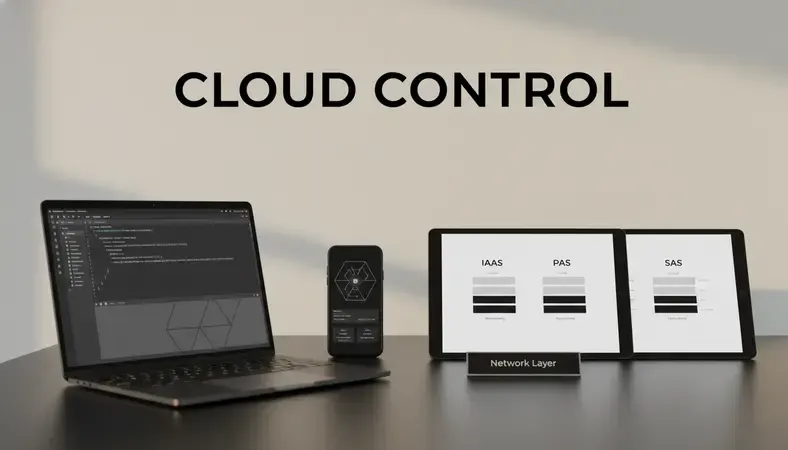
Cloud computing architecture can be organized in several ways depending on what the system needs to do. The three foundational types are based on service delivery model.
Infrastructure as a Service (IaaS)
IaaS gives you raw infrastructure — virtual machines, storage, and networking — that you configure and manage yourself. You get maximum control but also maximum responsibility. AWS EC2, Google Compute Engine, and Microsoft Azure Virtual Machines are IaaS offerings.
This model suits businesses with technical teams that need flexibility. A SaaS company building a custom application stack would typically start with IaaS.
Platform as a Service (PaaS)
PaaS provides a managed environment for building and deploying applications. The cloud provider handles the underlying infrastructure; you focus on writing code. Google App Engine and Heroku are examples.
PaaS is well suited for development teams that want to move fast without managing servers. The tradeoff is less control over the underlying environment.
Software as a Service (SaaS)
SaaS delivers complete applications over the internet. You use the software; someone else manages everything underneath it. Gmail, Salesforce, and Shopify are SaaS products.
For small businesses, SaaS applications handle most day-to-day needs without requiring any cloud architecture knowledge at all.
Cloud Architecture Models: Public, Private, and Hybrid
Beyond service type, cloud computing architecture is also defined by deployment model — where the infrastructure lives and who controls it.
Public cloud
In a public cloud model, infrastructure is owned and operated by a third-party provider and shared across multiple customers. AWS, Google Cloud, and Microsoft Azure are the dominant public cloud providers. Resources are available on demand, costs scale with usage, and the provider handles all physical hardware.
Public cloud is the right starting point for most small businesses and early-stage SaaS companies. The economics are favorable at small scale, and you can grow without capital investment in hardware.
Private cloud
A private cloud is infrastructure dedicated exclusively to one organization. It can be hosted on-premises or in a third-party data center, but the key distinction is that no one else uses it. Private clouds offer more control over security and compliance, but they cost significantly more to build and maintain.
Financial institutions, healthcare organizations, and government agencies often require private cloud deployments because of regulatory requirements around data residency and access.
Hybrid cloud
Hybrid cloud combines public and private infrastructure, connected so workloads can move between them. A retailer might run its customer-facing ecommerce application on public cloud for scalability, while keeping payment processing and customer data on a private cloud for compliance reasons.
The cloud computing reference model used by most enterprise architects today is a hybrid model. It allows organizations to put each workload in the environment that best serves its requirements.
Key Insight: Hybrid cloud is not just a compromise between public and private — it is a deliberate architecture decision that lets you match workload requirements to the right environment. Most organizations with more than 50 employees end up here eventually.
Cloud computing and SOA
Service-Oriented Architecture (SOA) is a design pattern where software components expose functionality as services that other systems can consume. Cloud computing and SOA are closely related — cloud environments provide the infrastructure that makes SOA practical at scale. Microservices, the modern evolution of SOA, are the default architectural pattern for SaaS companies building on cloud platforms today.
Benefits of Cloud Computing Architecture
Well-designed cloud computing architecture delivers concrete, measurable advantages — not just theoretical ones.
- Scalability on demand: Resources expand when traffic spikes and contract when it drops. An ecommerce store handling a seasonal rush does not need to buy hardware for peak capacity and leave it idle for eleven months.
- Cost efficiency: You pay for what you use. A small business running a modest application pays modest infrastructure costs. As revenue grows, infrastructure costs scale proportionally rather than requiring large upfront capital.
- Geographic reach: Cloud providers operate data centers in dozens of regions worldwide. Deploying your application closer to your users reduces latency and improves performance — critical for ecommerce conversion rates.
- Resilience and availability: Cloud computing architecture distributes workloads across multiple availability zones. If one data center has a problem, traffic routes automatically to another. Gartner research indicates that unplanned downtime costs businesses an average of $5,600 per minute — redundancy built into cloud architecture directly reduces that risk.
- Security and compliance tooling: Major cloud providers offer built-in security services — encryption at rest and in transit, identity management, threat detection, and compliance certifications. For SaaS companies handling customer data, this provides a strong security baseline without building it from scratch.
- Faster deployment: Development teams can provision new environments in minutes rather than weeks. This speed advantage compounds over time — companies that deploy faster iterate faster, and companies that iterate faster build better products.
For guidance on keeping cloud environments secure after deployment, see our resource on How to Secure Cloud Server.

Cloud Architecture Best Practices
Knowing the components and models is the foundation. Applying them well is what separates cloud deployments that work from ones that create problems.
Design for failure
Every component in a cloud computing architecture will eventually fail. Networks drop. Disks fail. Services become unavailable. Design your architecture assuming failure will happen, and build automatic recovery into every layer. Use multiple availability zones, implement health checks, and test failure scenarios deliberately.
Use the principle of least privilege
Every user, service, and system should have access only to the resources it absolutely needs. Overly permissive access policies are the most common cause of cloud security incidents. Review permissions regularly and remove access that is no longer needed.
Automate everything you can
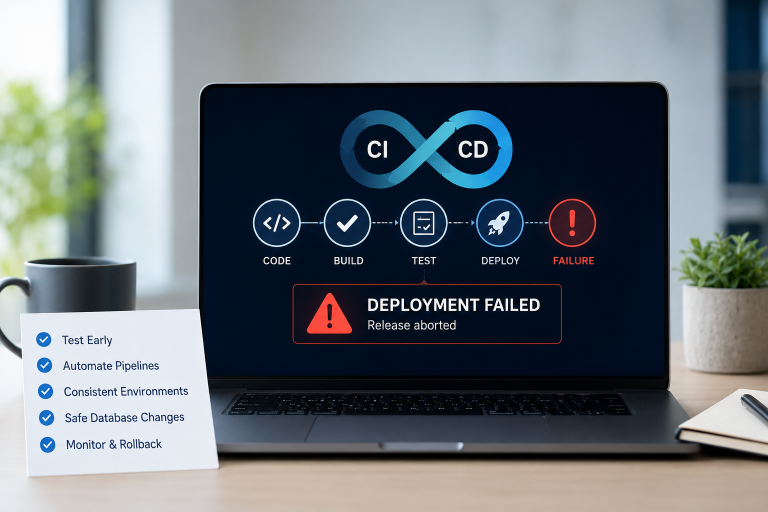
Manual processes introduce human error and slow you down. Infrastructure-as-code tools like Terraform and AWS CloudFormation let you define your entire cloud computing architecture in code, version it, review it, and deploy it consistently. Automated testing, deployment pipelines, and monitoring reduce operational burden significantly.
Monitor and observe continuously
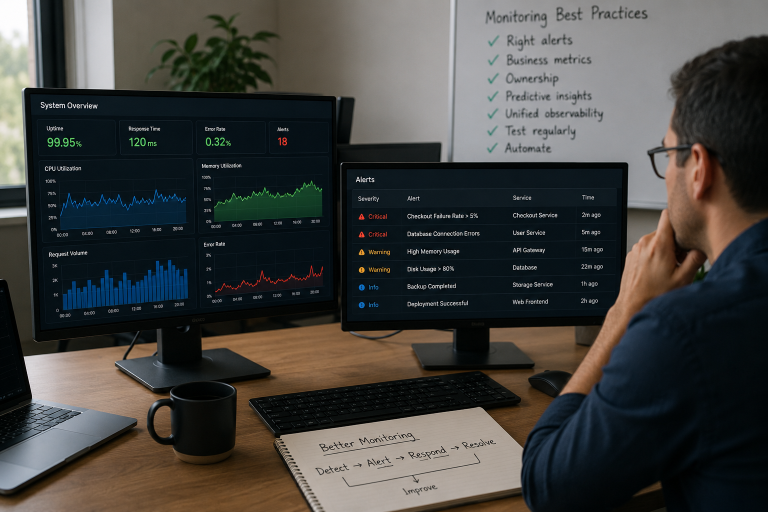
You cannot fix problems you cannot see. Implement logging, metrics, and alerting across every layer of your cloud architecture. Set up dashboards that give your team visibility into application performance, infrastructure health, and security events. Reactive monitoring — finding out about problems after users report them — is not a strategy.
Optimize costs actively
Cloud costs can grow unexpectedly if left unmanaged. Use reserved instances or committed use discounts for predictable workloads. Set up cost alerts and review spending monthly. Identify idle or underutilized resources and eliminate them. For businesses evaluating infrastructure options, understanding the tradeoffs between Shared Vs Dedicated Hosting is a useful starting point before moving into cloud architecture decisions.
Plan for data governance
Know where your data lives, who can access it, and how long you retain it. For ecommerce businesses handling customer payment information, and for SaaS companies processing user data, data governance is both a compliance requirement and a trust signal.
How to Choose the Right Cloud Architecture for Your Business
The right cloud computing architecture depends on your specific situation — your team size, budget, compliance requirements, and growth trajectory. Here is a practical framework for making that decision.
-
Assess your workload requirements: List your applications and classify each one by its requirements — how much compute it needs, how much storage, how sensitive the data is, and how much downtime is acceptable. Different workloads may need different architectures.
-
Evaluate your team's capabilities: A small business without a dedicated IT team should lean toward managed services and SaaS. A SaaS company with experienced engineers can take on more infrastructure responsibility in exchange for greater control.
-
Start with public cloud: Unless you have specific compliance requirements that mandate private infrastructure, start with a public cloud provider. The economics, tooling, and flexibility are superior at small and medium scale.
-
Plan for hybrid as you grow: As your business matures, you may find specific workloads benefit from different environments. Design your architecture so components can move without requiring a full rebuild.
-
Engage a cloud architect early: The decisions you make in the first few months of a cloud deployment are difficult to undo later. A cloud architect who has designed similar systems can help you avoid the most expensive mistakes before you make them.
-
Review and iterate: Cloud computing architecture is not a one-time decision. Review your architecture annually, or whenever your business requirements change significantly. What works at 10,000 users may not work at 1,000,000.
According to Flexera's State of the Cloud Report, 87% of organizations have a multi-cloud strategy, and cloud cost optimization remains the top priority for cloud teams. These numbers reflect a market that has moved past the question of whether to adopt cloud computing architecture and is now focused on how to do it well.
Common Questions About Cloud Computing Architecture
What is the difference between cloud architecture and cloud infrastructure?
Cloud infrastructure refers to the physical and virtual hardware — servers, storage, networking equipment — that runs in data centers. Cloud computing architecture is the design that specifies how those infrastructure components are organized, connected, and used to deliver a service. Infrastructure is what exists; architecture is the plan for how it all fits together.
Do small businesses need to understand cloud computing architecture?
You do not need to become a cloud architect, but understanding the basics helps you make better decisions about the services you buy and the vendors you trust. Knowing the difference between IaaS, PaaS, and SaaS, for example, helps you evaluate whether a vendor's offering matches your actual needs — or whether you are paying for complexity you do not require.
What is a cloud computing reference model?
A cloud computing reference model is a standardized framework for describing how cloud services are structured and delivered. The NIST cloud computing reference model is the most widely used. It defines five essential characteristics, three service models (IaaS, PaaS, SaaS), and four deployment models (public, private, hybrid, community). The cloud reference model in cloud computing provides a common vocabulary that makes it easier for organizations to compare services and design interoperable systems.
How does cloud architecture affect application performance?
Directly and significantly. Decisions about where your application runs (which region, which availability zone), how data is stored and retrieved, how traffic is routed, and how the system scales under load all affect the speed and reliability your users experience. A well-designed cloud computing architecture can reduce latency by 40–60% compared to a poorly designed one serving the same geographic audience.
Is cloud computing architecture the same for every cloud provider?
The underlying concepts are consistent, but each provider implements them differently. AWS, Google Cloud, and Azure each have their own services, naming conventions, and tooling. A cloud architect who has worked across providers will design your architecture to use provider-agnostic patterns where possible, reducing the risk of being locked into a single vendor.
The Bottom Line
Cloud computing architecture is the foundation every modern business application is built on — and the quality of that foundation determines how well your systems perform, scale, and stay secure. Getting it right from the start saves significant time and cost later.
Explore Sygitech's Managed Cloud Services to work with a team that designs, deploys, and manages cloud architecture built around your specific workload requirements — without the overhead of building an in-house cloud team. Ready to get started? Visit Sygitech to learn more.