Cloud computing is the delivery of computing services — servers, storage, databases, networking, software, and analytics — over the internet, on demand, without owning any physical hardware. You access what you need, when you need it, and pay only for what you use.
If you have ever used Gmail, streamed a movie on Netflix, or stored photos on Google Drive, you have already used cloud computing. The cloud computing definition is simpler than most people expect: it is rented computing power and storage, delivered through the internet. This guide covers how it works, the different types and service models, and why businesses of every size — from solo founders to ecommerce brands — are moving to the cloud.
What Is Cloud Computing?
Cloud computing refers to the practice of using a network of remote servers hosted on the internet to store, manage, and process data, rather than using a local server or a personal computer. The term "cloud" is a metaphor for the internet itself — the infrastructure is somewhere else, and you connect to it remotely.
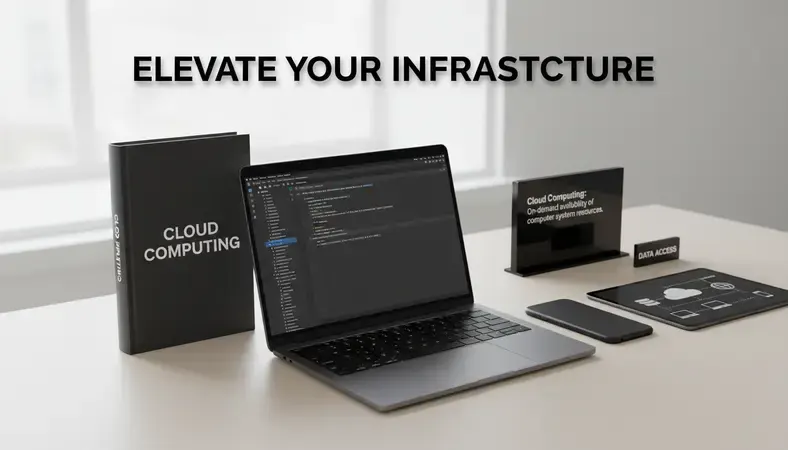
The cloud computing definition has three core characteristics that distinguish it from traditional computing:
- On-demand self-service: You can provision computing resources — storage, virtual machines, applications — without human interaction from a service provider. You log in, configure what you need, and it is ready in minutes.
- Broad network access: Resources are available over the internet from any device — a laptop, smartphone, or tablet — anywhere in the world.
- Pay-as-you-go pricing: You pay for what you consume, similar to how you pay for electricity. There is no large upfront capital expenditure for hardware.
Think of it this way: instead of buying a generator to power your home, you connect to the electrical grid. Cloud computing works the same way for your technology infrastructure. The provider maintains the hardware, the security patches, and the physical data centers. You simply connect and use what you need.
According to Gartner, worldwide public cloud end-user spending continues to grow at double-digit rates year over year, reflecting how central the cloud computing definition has become to modern business operations.
How Does Cloud Computing Work?
Cloud computing works by virtualizing physical hardware. Instead of one server doing one job, virtualization software divides a single physical server into multiple virtual machines (VMs), each running independently. A cloud provider owns and operates large data centers filled with thousands of physical servers. Virtualization allows them to rent portions of those servers to many customers simultaneously.
Here is the basic process from your perspective:
- You request a resource: You log into a cloud platform — such as Amazon Web Services, Microsoft Azure, or Google Cloud — and request a virtual server, a storage bucket, or a software application.
- The provider allocates resources: The platform's software automatically assigns virtual computing resources from its pool of physical hardware.
- You connect over the internet: Your device communicates with those remote resources through an encrypted internet connection.
- You use and pay: You run your workloads, store your data, or access your software. At the end of the billing cycle, you are charged based on usage.
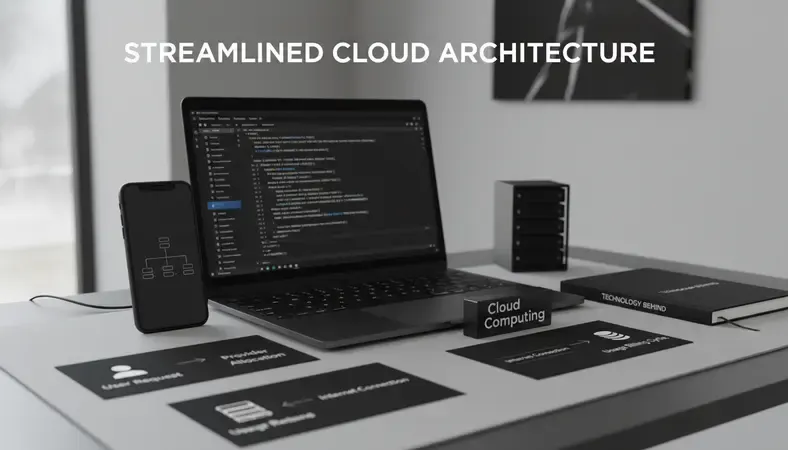
The key technology behind this is virtualization, which separates the software layer from the physical hardware. This is why a small ecommerce startup in Mumbai can spin up a server in seconds without owning a single piece of hardware.
The role of data centers
Cloud providers operate massive, geographically distributed data centers. When you store a file or run an application, it lives in one of these facilities. Most providers replicate your data across multiple locations automatically, so if one data center experiences an outage, your data remains accessible from another. This redundancy is one of the most significant advantages over on-premise infrastructure, where a single hardware failure can take your entire operation offline.
Types of Cloud Computing
Not every cloud environment is the same. The cloud computing definition includes three primary deployment models, each suited to different needs.
Comparing cloud deployment models
| Deployment Model |
Who Controls It |
Best For |
Key Consideration |
| Public Cloud |
Third-party provider |
Startups, ecommerce, SaaS companies |
Shared infrastructure, lower cost |
| Private Cloud |
Your organization |
Regulated industries, sensitive data |
Higher control, higher cost |
| Hybrid Cloud |
Both |
Enterprises with mixed workloads |
Complexity requires management expertise |
Public cloud is the most common model. Resources are owned and operated by a third-party provider and shared across multiple customers (called "multi-tenant" architecture). You do not see or interact with other customers' workloads — they are logically isolated — but the underlying hardware is shared. AWS, Azure, and Google Cloud are all public clouds. For most small businesses, SaaS product companies, and ecommerce operations, the public cloud delivers everything they need at the lowest cost.
Private cloud is a cloud environment dedicated exclusively to one organization. It can be hosted in your own data center or by a third-party provider who dedicates hardware solely to you. A private cloud gives you full control over configuration and security, but you bear the full cost of the infrastructure. Banks, healthcare providers, and government agencies often prefer private clouds because of strict data compliance requirements.
Hybrid cloud combines public and private clouds, connected by technology that allows data and applications to move between them. A retailer might run its customer-facing ecommerce platform on the public cloud (for elastic scaling during peak sales) while keeping its financial records on a private cloud (for compliance). Managing a hybrid cloud environment requires expertise — if you are a small business, this is typically where a managed cloud services partner adds real value.
Cloud Computing Service Models: IaaS, PaaS, and SaaS
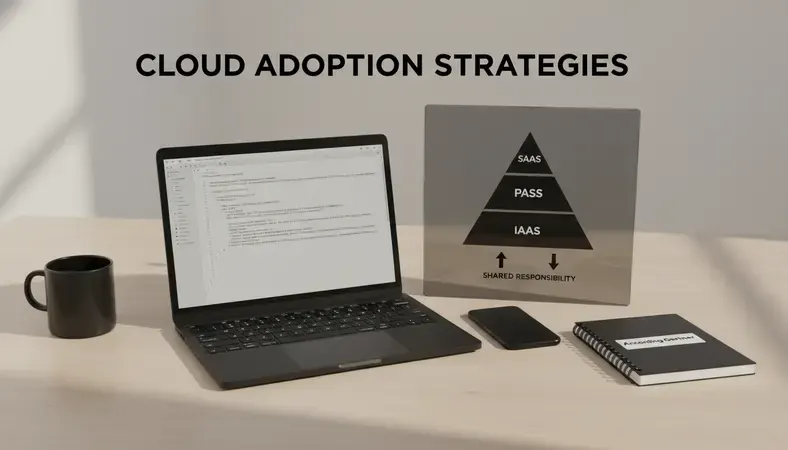
Beyond deployment models, the cloud computing definition includes three service layers. These define what the provider manages and what you manage.
Infrastructure as a Service (IaaS)
IaaS gives you raw computing infrastructure — virtual machines, storage, and networking — over the internet. You manage the operating system, middleware, and applications. The provider manages the physical hardware and virtualization layer.
Best for: Development teams, SaaS companies building custom applications, businesses migrating from on-premise servers.
Examples: Amazon EC2, Google Compute Engine, Microsoft Azure Virtual Machines.
Platform as a Service (PaaS)
PaaS provides a managed environment for building, testing, and deploying applications. The provider handles the infrastructure and the operating system. You focus on writing and deploying code.
Best for: SaaS product companies that want to build applications without managing servers, developers who want to focus on product rather than infrastructure.
Examples: Google App Engine, Heroku, AWS Elastic Beanstalk.
Software as a Service (SaaS)
SaaS delivers fully functional software applications over the internet. You do not manage anything — not the infrastructure, not the platform, not the application itself. You simply log in and use it.
Best for: Small businesses, ecommerce teams, any organization that needs software without IT overhead.
Examples: Gmail, Shopify, Salesforce, Zoom, Slack.
Key Insight: The simplest way to remember the difference — IaaS is renting a plot of land, PaaS is renting a house you can renovate, and SaaS is renting a fully furnished apartment. Each model trades control for convenience.
Benefits of Cloud Computing
The cloud computing definition would be incomplete without understanding why organizations move to it. The benefits are concrete and measurable.
- Cost reduction: A 2023 Flexera State of the Cloud report found that organizations moving workloads to the cloud reduced infrastructure costs by an average of 18% in the first year. You eliminate capital expenditure on hardware, reduce maintenance costs, and pay only for what you use.
- Scalability: Cloud resources scale up or down in minutes. An ecommerce store expecting a traffic surge during a sale can double its server capacity in under five minutes and scale back down immediately after — paying only for the extra capacity used during that window.
- Reliability and uptime: Major cloud providers guarantee 99.9% to 99.99% uptime through redundant infrastructure. That translates to less than nine hours of potential downtime per year at the 99.9% level.
- Accessibility: Your team can access applications and data from anywhere with an internet connection. Remote work, distributed teams, and multi-location businesses all benefit directly from this.
- Security: Cloud providers invest billions annually in security infrastructure. For most small businesses, the security posture of a well-configured cloud environment exceeds what they could build independently. That said, security in the cloud is a shared responsibility — the provider secures the infrastructure, but you are responsible for securing your data and access controls. For a deeper look at this, the guide on How to Secure Cloud Server covers the configuration steps that matter most.
- Automatic updates: Software and security patches are applied by the provider, removing the burden of manual updates from your IT team.
Cloud Computing vs On-Premise Solutions
On-premise (on-prem) infrastructure means your servers, storage, and networking equipment live in your own physical location — your office or a data center you lease. You own the hardware, manage the software, and handle everything from power to security patches.
Cloud vs on-premise: a direct comparison
| Factor |
Cloud Computing |
On-Premise |
| Upfront cost |
Low (pay-as-you-go) |
High (hardware purchase) |
| Scalability |
Instant, elastic |
Limited by hardware capacity |
| Maintenance |
Provider-managed |
Your team manages it |
| Security control |
Shared responsibility |
Full control |
| Downtime risk |
Redundant, provider-managed |
Single point of failure risk |
| Data location |
Provider's data centers |
Your premises |
| Time to deploy |
Minutes |
Weeks to months |
For most small businesses and ecommerce operations, the cloud wins on cost, speed, and reliability. The case for on-premise is narrower — it applies primarily when you have strict data sovereignty requirements (your data must physically remain in a specific country), highly sensitive intellectual property, or workloads so consistent and predictable that owning hardware becomes cheaper than renting over a five-year horizon.
Many businesses also consider the question of Shared Vs Dedicated Hosting when evaluating their options, which is a related decision point for web infrastructure specifically.
Common Cloud Computing Use Cases
The cloud computing definition covers a broad range of real-world applications. Here are the most common use cases across the businesses that benefit most.
For small businesses:
* Running accounting software (QuickBooks Online, Xero) without managing servers
* Using cloud-based CRM platforms like HubSpot or Zoho to manage customer relationships
* Storing and sharing files through Google Workspace or Microsoft 365
* Hosting their website on cloud infrastructure rather than a shared hosting plan
For SaaS product companies:
* Hosting their entire product on AWS, Azure, or Google Cloud, scaling infrastructure as their user base grows
* Using PaaS environments to accelerate development cycles and reduce DevOps overhead
* Running CI/CD pipelines and automated testing environments in the cloud
* Managing multi-region deployments to serve global customers with low latency
For ecommerce:
* Scaling server capacity dynamically during high-traffic events like Diwali sales or flash sales
* Running product recommendation engines and personalization algorithms on cloud infrastructure
* Processing payments securely through cloud-hosted payment gateways
* Using cloud-based analytics platforms to analyze customer behavior and optimize conversion rates
The cloud computing model has also enabled entirely new categories of technology — from mobile app development platforms that deploy backend infrastructure with a single command, to AI services that small teams can access without building their own machine learning infrastructure.
Common Questions About Cloud Computing
Is cloud computing safe for sensitive business data?
Cloud security is a shared responsibility. The provider secures the physical infrastructure, the virtualization layer, and the network. You are responsible for access controls, data encryption settings, and user permissions. For most small businesses, a well-configured cloud environment is more secure than self-managed on-premise hardware because major providers employ dedicated security teams and apply patches immediately. The key is proper configuration — weak passwords, open storage buckets, and misconfigured permissions are the most common causes of cloud data breaches, not provider-side failures.
What is the difference between cloud storage and cloud computing?
Cloud storage is a subset of cloud computing. Cloud storage refers specifically to storing files and data on remote servers accessible over the internet — Google Drive, Dropbox, and Amazon S3 are examples. Cloud computing is the broader category that includes storage, but also encompasses virtual servers, databases, networking, software applications, and computing power. Every cloud storage service uses cloud computing infrastructure, but cloud computing includes much more than storage.
Do I need technical expertise to use cloud computing?
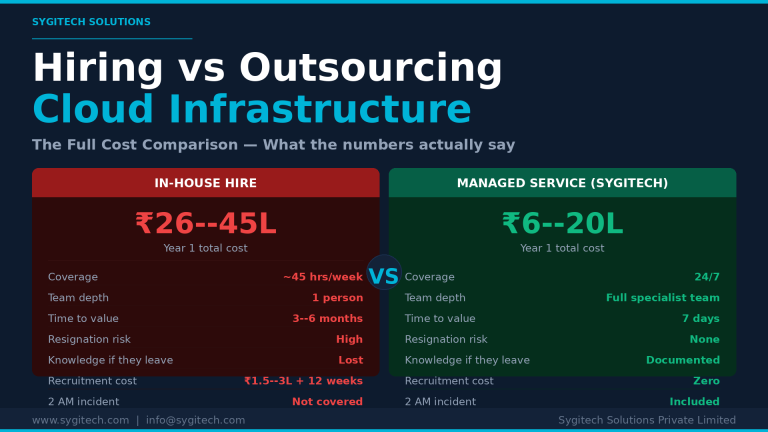
The answer depends on the service model. SaaS applications require no technical expertise — you sign up and use the software. PaaS environments require development knowledge but not infrastructure management. IaaS requires the most technical skill, as you manage operating systems, security configurations, and application deployment. For small businesses without a dedicated IT team, SaaS is the most accessible entry point. If you want to run custom applications on IaaS or PaaS, working with a managed cloud services provider removes the technical burden while giving you the benefits of the infrastructure.
How does cloud computing pricing work?
Cloud providers charge based on consumption. You pay for compute time (by the hour or second), storage (by the gigabyte per month), data transfer (by the gigabyte out), and specific services used. Most providers offer three pricing models: on-demand (pay as you go with no commitment), reserved instances (commit to one or three years for a significant discount), and spot or preemptible instances (use spare capacity at steep discounts, with the risk of interruption). For predictable workloads, reserved instances typically reduce costs by 30–60% compared to on-demand pricing.
Can a small business in India benefit from cloud computing?
Absolutely. AWS, Google Cloud, and Microsoft Azure all operate data centers in India — AWS has regions in Mumbai and Hyderabad, and Google Cloud operates in Mumbai and Delhi NCR. This means Indian businesses can store data within the country (important for compliance with India's data protection regulations), access cloud resources with low latency, and pay in Indian rupees. The National Association of Software and Service Companies (NASSCOM) has reported that cloud adoption among Indian SMEs has accelerated significantly, driven by cost advantages and the availability of local cloud infrastructure.
Key Takeaways
Cloud computing delivers on-demand computing resources over the internet — no hardware to own, no maintenance to manage, and costs that scale with your actual usage. Whether you are a small business replacing on-premise servers, a SaaS company building a product, or an ecommerce brand that needs elastic capacity for peak traffic, the cloud computing model fits.
Explore Sygitech's Managed Cloud Services to move your workloads to the cloud with expert configuration, ongoing management, and support built specifically for Indian businesses — so you get the performance and security of enterprise cloud infrastructure without the overhead of managing it yourself. Ready to get started? Visit Sygitech to learn more.


Leave a Reply