Every year, the same story repeats itself. A brand announces a massive sale, marketing teams build hype for weeks, and the moment the clock strikes midnight, thousands of shoppers rush in at once. Within minutes, the website becomes sluggish, checkout pages freeze, and frustrated customers abandon their carts. For an ecommerce business, that kind of moment costs more than a bad afternoon. Revenue disappears, trust takes a hit, and search rankings can suffer for months afterward. If you run an online store or manage IT infrastructure for one, you already know that high traffic sales events like Black Friday, Cyber Monday, or festive season sales cut both ways. More visitors obviously mean more potential sales. But a slow or crashing website during peak hours can wipe out months of marketing effort in a matter of seconds, and that risk is just as real as the opportunity.
In this article, we will break down exactly why online stores slow down during high traffic sales events, walk through a real world case study, and explain what businesses can do with the right infrastructure planning and DevOps practices to stay fast and reliable, no matter how many shoppers show up at once.
The Real Cost of a Slow Website During Sales
Before we get into the technical reasons, it is worth understanding why speed matters so much during high traffic periods.
Studies show that even a one second page load delay can significantly reduce conversions during online shopping experiences. During a normal shopping day, this impact is noticeable but manageable. During a flash sale or festive campaign, where thousands of users are competing for limited stock, every second counts even more. A slow cart page, a failed payment attempt, or a broken product listing page can push a ready to buy customer straight to a competitor.
There is also a search engine visibility angle to this. Google continues to treat page speed, Core Web Vitals, and interaction responsiveness as important ranking signals. A website that crashes or slows during peak traffic sends poor user experience signals that can reduce search rankings.
Why Online Stores Actually Slow Down
Let us look at the core technical reasons behind this common problem.
1. Sudden and Unpredictable Traffic Spikes
Most ecommerce websites are built and tested for average daily traffic. When a sales event begins, traffic can jump from a few hundred concurrent users to tens of thousands within minutes. Without dynamic scaling, servers become overloaded, response times increase, and website pages begin timing out during traffic spikes.
This is a common issue among businesses relying on traditional hosting instead of modern, scalable cloud infrastructure. Without auto scaling in place, a single traffic spike can bring an entire storefront to a halt.
2. Database Bottlenecks
Behind every product page, cart update, and checkout action is a database query. During normal traffic, these queries execute quickly. During a sale, when thousands of users are searching, filtering, adding to cart, and checking out simultaneously, the database can become the biggest bottleneck.
Poor database optimization causes query delays, slowing the entire application during thousands of simultaneous user requests.
3. Inefficient Caching Strategies
Caching is one of the simplest and most effective ways to handle high traffic, yet many online stores either do not use it properly or rely on outdated caching layers. Without proper page level, object level, and CDN caching, every single request hits the origin server directly. During a sale, this creates unnecessary load that a well configured caching strategy could easily absorb.
4. Third Party Scripts and Integrations
Modern ecommerce sites are rarely self contained. They rely on payment gateways, marketing pixels, chat widgets, review plugins, and analytics tools. Each of these adds an external dependency. During high traffic periods, if any third party service slows down or fails to respond quickly, it can drag down the entire page load time, even if your own servers are performing well.
5. Payment Gateway and Checkout Bottlenecks
Checkout is often the most sensitive part of the entire shopping journey. Payment gateways have their own rate limits and processing capacities. During major sales, a surge in simultaneous checkout attempts can overwhelm these integrations, leading to failed transactions, duplicate charges, or long processing delays. This is particularly damaging because it happens at the exact moment a customer is ready to pay.
6. Lack of Load Testing Before the Event
A surprising number of businesses launch major sales campaigns without properly load testing their infrastructure beforehand. They assume their regular setup will hold up simply because it works fine on a normal day. Without simulating peak traffic in advance, teams have no real visibility into where the system will break until it actually breaks, in front of real customers.
7. Poor Content Delivery Network Configuration
A Content Delivery Network distributes static assets like images, CSS, and JavaScript files closer to the user’s location, reducing load time. If a CDN is misconfigured, underutilized, or missing entirely, every user request travels further to reach the origin server, adding latency that compounds significantly under heavy load.
A Real World Example: How a Mid Sized Fashion Retailer Solved Its Sale Day Crashes
To make this more concrete, consider a real world scenario we encountered while consulting for a mid sized fashion ecommerce brand preparing for its annual festive sale.
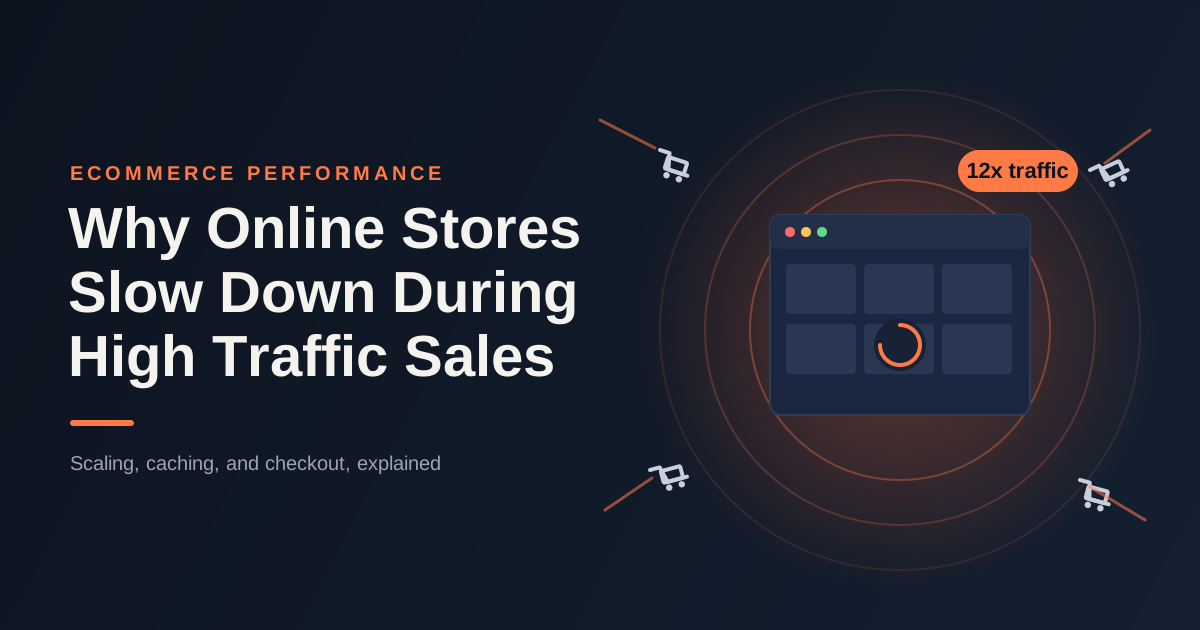
In the previous year, the brand experienced a near total site outage within the first fifteen minutes of its sale going live. Traffic jumped nearly twelve times their average daily volume. The application servers could not scale fast enough, the database became the primary bottleneck due to unoptimized product search queries, and the checkout page timed out for a large percentage of users. The business estimated a loss of nearly forty percent of expected sale day revenue, along with a noticeable dip in organic rankings the following month due to poor user experience signals.
Ahead of the next sale, the team worked with a DevOps consulting services provider to redesign their infrastructure approach. The changes included:
- Migrating critical workloads to an auto scaling cloud environment so server capacity could expand automatically based on real time demand.
- Introducing read replicas and query optimization for the product and inventory database to reduce response times during concurrent access.
- Implementing a robust CDN and multi layer caching strategy, significantly reducing the load hitting origin servers for static and semi static content.
- Setting up 24/7 monitoring with real time alerting, so any early signs of latency or error rate increases could be addressed before they escalated into outages.
- Running full scale load testing two weeks before the actual sale, simulating traffic levels twenty times higher than average to identify weak points in advance.
The result was completely different. During the next sale, traffic exceeded the previous year’s peak by nearly thirty percent, yet the website remained stable with fast load times, improved checkout success rates, and no unplanned downtime. The business protected its revenue while improving Core Web Vitals and post-sale search visibility.
This example shows that website slowdowns during sales are rarely caused by a single issue. More often, they result from multiple infrastructure weaknesses that can be prevented through proper planning, load testing, and continuous monitoring.
What Businesses Should Do Before the Next Big Sale
Based on patterns we consistently see across ecommerce clients, here are the practical steps every online store should take well ahead of any major sales event.
Start with infrastructure scaling. Ensure your hosting environment supports automatic horizontal scaling, so additional server capacity can be added in real time as traffic increases, rather than relying on manual intervention.
Optimize your database layer. Review slow queries, add proper indexing, and consider read replicas for high demand tables like products, inventory, and orders.
Strengthen your caching strategy. Use a combination of browser caching, server side caching, and a reliable CDN to reduce the number of requests reaching your origin servers.
Audit third party scripts. Remove unnecessary tools, defer non critical scripts, and monitor how each integration affects overall page performance.
Stress test the checkout flow specifically. Since this is the most revenue critical part of the journey, simulate concurrent checkout attempts to identify where payment processing might slow down.
Set up continuous monitoring. Real time visibility into server health, response times, and error rates allows teams to react within minutes rather than discovering problems through customer complaints.
Run realistic load testing at least two to three weeks before the event, using traffic patterns that reflect expected peak volume, not just average daily numbers.
Have a rollback and incident response plan ready. Even with the best preparation, having a clear plan for quickly identifying and resolving issues during the live event reduces downtime significantly.
For many growing ecommerce businesses, handling all of this internally is challenging, especially without a dedicated infrastructure team. This is exactly where partnering with experienced cloud infrastructure management services becomes valuable. These partnerships bring proven frameworks, monitoring expertise, and hands on experience handling high traffic sales events across multiple industries.
Conclusion
High traffic sales events will always put pressure on ecommerce infrastructure. But crashes and slowdowns aren’t just a cost of doing business, they’re usually a sign of specific gaps in scaling, database performance, caching, or monitoring, and those gaps can be found and fixed well before the sale even starts.
Businesses that invest in proper infrastructure planning, structured load testing, and continuous monitoring consistently perform better during peak events, both in terms of revenue protection and long term search visibility. As Google continues to prioritize genuine user experience and technical performance in its ranking systems, ensuring your store stays fast under pressure is no longer optional. It is a core part of both customer experience and sustainable SEO growth.
Frequently Asked Questions
Why do ecommerce websites slow down specifically during sales and not on regular days?
Because regular traffic is predictable. It stays within the capacity the infrastructure was built for. Sales events break that pattern entirely, sending sudden spikes through concurrent users, database queries, and checkout attempts all at once, and that’s exactly when weak scaling, caching, or database performance finally shows itself.
How much traffic increase should a business plan for during a major sale?
There’s no universal number here since it depends on industry and marketing scale. That said, most mid sized ecommerce brands do well to plan for ten to twenty times their average daily traffic. Looking at data from previous sales alongside current marketing reach tends to give a much sharper estimate than guessing.
Is cloud auto scaling enough on its own to prevent slowdowns?
Not really. It handles server capacity well, but database bottlenecks, poor caching, and slow third party integrations won’t fix themselves just because servers can scale. You need infrastructure scaling, database optimization, caching, and monitoring all working together.
How early should load testing be done before a sales event?
Two to three weeks out is a good target. That leaves enough runway to catch issues and fix them properly, instead of rushing last minute changes right before launch, which tends to introduce new problems of its own.
Can slow website performance during a sale affect long term search rankings?
It can, yes. Poor Core Web Vitals, high bounce rates, and bad user experience signals during a traffic spike don’t just disappear once the sale ends. Search engines factor those signals into how they evaluate your site going forward.
What is the most common mistake businesses make when preparing for high traffic sales?
Assuming that whatever works fine on a normal day will hold up during a sale. Skipping realistic load testing and proper real time monitoring is the single biggest gap we see, and it’s usually the one that causes the most damage.