
Migrating to Azure sounds straightforward on paper: move workloads, reduce infrastructure costs, and scale on demand. In practice, Azure cloud migration challenges are far more complex than most teams anticipate. Projects scoped for three months stretch into nine, budgets bloat, and production environments end up more fragile than the on-premises systems they replaced.
If you’re planning a migration or stuck mid-way through one, this guide breaks down the real Azure cloud migration challenges we see repeatedly in cloud migration services engagements and more importantly, what actually fixes them.
Why Azure Migrations Go Wrong (Before They Even Start)
Most Azure migration failures are not technical failures. They are planning failures dressed up as technical problems.
Teams underestimate application dependencies. They assume a lift-and-shift approach will work when the application was never designed for the cloud. They skip the assessment phase to save time and end up paying for it ten times over during cutover week.
The good news is that every one of these patterns is predictable and solvable. Here are the seven most common Azure cloud migration challenges and how experienced teams handle them.
1. Incomplete Discovery and Dependency Mapping
The problem: You start migrating a web application and realize mid-migration that it has an undocumented dependency on a legacy database server sitting in a forgotten rack. Or a batch job that runs at 2 AM connects to a shared file system nobody catalogued. These surprises are not rare. They are the norm.
In most enterprise environments, documentation is either outdated or nonexistent. Teams that skip a rigorous discovery phase end up with incomplete migrations that break production workloads.
How to solve it:
Run a full workload discovery before a single VM gets migrated. Azure Migrate is built for this. It uses an agentless collector to map on-premises servers, databases, and web applications, and it surfaces dependency visualizations that show you exactly what communicates with what.
For complex environments, layer in tools like Azure Service Map or even network flow analysis to catch dependencies that don’t show up in configuration files. Give discovery at least two to four weeks of observation time. You want to capture nightly jobs, weekly batch processes, and monthly reporting cycles, not just the steady-state traffic.
The output of this phase should be a dependency map that your migration team and application owners both sign off on. This becomes your migration sequence blueprint.
2. Choosing the Wrong Migration Strategy
The problem: Lift-and-shift (rehosting) is the fastest path to Azure, but it is not always the right one. Teams apply it uniformly across all workloads and then wonder why their cloud bill is higher than their on-premises costs, or why a monolithic application is still impossible to scale.
On the other end, some teams try to re-architect everything in parallel with the migration, effectively turning a two-month project into a two-year one.
How to solve it:
The 6 Rs framework (Rehost, Replatform, Repurchase, Refactor, Retire, Retain) exists for a reason. Apply it intentionally, workload by workload.
Rehost legacy apps that are already stable and don’t need cloud-native features. These move fast and buy you time.
Replatform apps that can benefit from managed services with minimal code changes – for example, moving an on-premises SQL Server instance to Azure SQL Managed Instance rather than running SQL on a VM.
Refactor only when the application genuinely needs cloud-native capabilities like auto-scaling, containerization, or event-driven architecture. This takes more time, so prioritize it for high-impact systems.
Retire applications nobody actually uses. You’d be surprised how many migrations involve moving systems that have zero active users.
A proper cloud strategy and planning engagement maps your application portfolio to the right strategy before migration begins, not during the migration itself.
3. Cost Overruns After Migration
The problem: One of the most common complaints we hear from teams that have already migrated to Azure: “Our cloud bill is three times what we expected.” This happens for predictable reasons over-provisioned VMs, unused reserved instances, storage that accumulates without lifecycle policies, and egress charges that nobody planned for.
How to solve it:
Start with right-sizing before you migrate, not after. Azure Migrate’s assessment reports include sizing recommendations based on actual performance data. Use them. Do not blindly replicate your on-premises VM sizes, because cloud resources have different performance characteristics.
After migration, implement Azure Cost Management from day one. Set budgets, configure anomaly alerts, and review cost reports weekly in the first three months. This is the period when surprise charges accumulate fastest.
Use Azure Advisor continuously. It flags underutilized resources, recommends reserved instance purchases (which can cut compute costs by 40 to 70 percent for stable workloads), and identifies idle storage.
Tag everything during migration. Without tags, cost attribution becomes impossible. Use a consistent tagging schema: environment, application name, cost center, and owner at minimum.
4. Security and Compliance Gaps During Transition
The problem: During migration, security posture often regresses. Temporary configurations – open network ports, overly permissive IAM roles, unencrypted connections – get forgotten and become permanent. For regulated industries, this creates audit findings and compliance exposure.
How to solve it:
Define your Azure security baseline before migration starts. Microsoft Defender for Cloud gives you a secure score and specific recommendations mapped to compliance frameworks like ISO 27001, SOC 2, and PCI DSS. Use it as your migration checklist, not an afterthought.
Implement Azure Policy to enforce guardrails automatically. Policies can prevent non-compliant resource deployments -for example, blocking storage accounts without encryption or requiring specific VM SKUs. When guardrails are built into the infrastructure, individual migration errors can’t create lasting security debt.
For network security, follow the principle of zero-trust from day one: use Azure Virtual Networks, Network Security Groups, and Azure Firewall to restrict traffic to exactly what’s needed. Do not open port ranges “temporarily,” because those configurations become permanent.
5. Application Performance Issues Post-Migration
The problem: The application worked fine on-premises. After migration to Azure, latency increases, database queries slow down, and users start complaining. This is not a cloud problem. It is an architecture mismatch problem.
On-premises environments often hide poor application design behind fast local networks and co-located databases. Cloud environments expose those inefficiencies.
How to solve it:
Before migration, run a performance baseline on-premises. Capture response times, query durations, and throughput under realistic load. This gives you a comparison point in Azure.
Post-migration, use Azure Application Insights and Azure Monitor to identify where latency is introduced. Often the culprit is network distance between application tiers that were co-located on-premises but are now in separate subnets, or database connection pooling that was never configured correctly.
Place Azure resources in the same region and, where possible, the same Availability Zone. Use Azure Private Endpoints to keep database traffic off the public internet. For globally distributed applications, Azure Front Door handles routing and caching in ways that can actually improve performance beyond what was possible on-premises.
Performance tuning after migration is not optional. Build it into your project timeline.
6. Managing the Cutover Window
The problem: The cutover from on-premises to Azure is the highest-risk moment in any migration. Data synchronization gaps, DNS propagation delays, session state loss, and dependent system failures all tend to surface at exactly the wrong moment during a production cutover at 2 AM on a Saturday.
How to solve it:
Cutover is a process, not an event. Run at least two full rehearsals in a staging environment before the production cutover. Time every step. Document rollback procedures with the same level of detail as the cutover steps themselves.
For databases, use Azure Database Migration Service in continuous migration mode to keep the Azure database in sync with on-premises until the moment of cutover. This reduces the cutover window from hours to minutes.
Define a precise go/no-go checklist. Assign owners to each step. Set a hard rollback decision time. If you reach that time and the migration is not proceeding as expected, roll back without debate.
Post-cutover, run smoke tests against every critical user flow before declaring success. Keep the on-premises environment available for at least 48 hours as a rollback option.
7. Lack of Ongoing Optimization After Go-Live
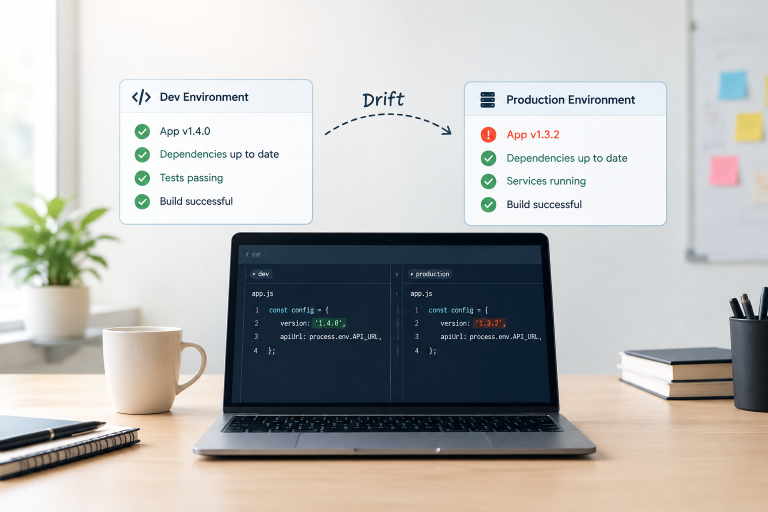
The problem: Teams treat migration as the finish line. The infrastructure goes live, the project closes, and the cloud environment is left to drift. Resources accumulate, security posture degrades, and costs increase until someone raises an alarm six months later.
How to solve it:
Migration is the beginning of your cloud journey, not the end. A structured post-migration operating model includes:
- Monthly cost reviews using Azure Cost Management and Advisor recommendations
- Automated compliance scanning through Microsoft Defender for Cloud
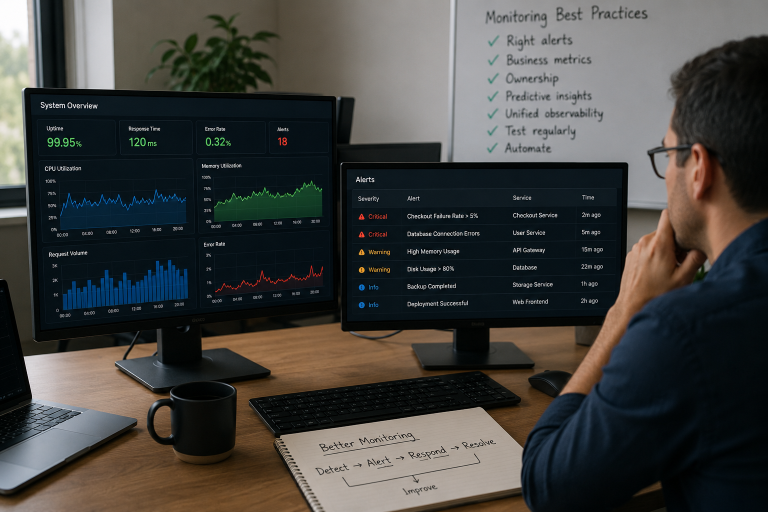
- Performance monitoring with defined SLOs and alerting thresholds in Azure Monitor
- Regular architecture reviews to identify refactoring opportunities as Azure releases new services
Teams that implement a proper FinOps practice alongside their cloud operations consistently achieve 25 to 40 percent cost reductions within the first year post-migration not by cutting resources, but by right-sizing, scheduling, and eliminating waste.
The Real Cost of a Bad Migration Plan
A poorly planned migration does not just cost money. It costs credibility. Engineering teams lose trust in the cloud. Leadership loses confidence in IT. And the business ends up with an Azure environment that’s harder to operate than what it replaced.
Understanding Azure cloud migration challenges upfront and planning around them – is what separates successful projects from troubled ones. Teams that migrate successfully treat the assessment phase as non-negotiable, apply migration strategies per workload rather than uniformly, and build a post-migration operating model before they start.
Azure is a powerful platform. The challenges are real, but none of them are unsolvable. The difference between a successful migration and a troubled one almost always comes down to how much preparation happened before the first VM was moved.
Conclusion
Whether you’re planning your first workload migration or dealing with the fallout of a rushed one, the path forward is the same: assess thoroughly, plan deliberately, execute in stages, and optimize continuously.
If your team is evaluating cloud migration services or looking for expert guidance on Azure cloud migration strategy, working with a managed cloud services partner who specializes in enterprise migrations can compress your timeline significantly while reducing the risk of the common failures described here.