
Amazon Web Services (AWS) is the world's largest cloud computing platform — powering everything from early-stage startups to the systems behind Netflix, NASA, and the Reserve Bank of India. If you have heard the term "aws web services" and wondered what it actually means for your business, you are in the right place. This guide breaks down what AWS is, how it works, what it costs, and whether it makes sense for your situation — no technical background required.
What Is AWS (Amazon Web Services)?
AWS, which stands for Amazon Web Services, is a cloud computing platform operated by Amazon. It provides on-demand access to computing power, storage, databases, networking, machine learning tools, and dozens of other services — all delivered over the internet, without any physical hardware on your end.
Think of it this way: instead of buying and maintaining your own servers in a back room, you rent exactly the computing resources you need from Amazon's global data centers. You pay for what you use, scale up when demand spikes, and scale back down when things are quiet.
Amazon launched AWS in 2006, originally to serve its own internal infrastructure needs. Today, according to Amazon Web Services data, AWS holds approximately 31% of the global cloud infrastructure market — making it the single largest provider ahead of Microsoft Azure and Google Cloud.
AWS runs on a network of data centers spread across 33 geographic regions worldwide, with multiple availability zones in each region. For Indian businesses, AWS operates dedicated regions in Mumbai and Hyderabad, which means your data can stay within Indian borders if compliance or latency requires it.
Key Insight: AWS is not just for large enterprises. Roughly 90% of AWS customers are small and medium-sized businesses using it to avoid the upfront cost of physical infrastructure.
How AWS Works
AWS works by virtualizing physical hardware across massive data centers and making that computing capacity available to anyone with an account. Here is the basic flow:
- Create an account: You sign up at the AWS console (console.aws.amazon.com). This is the web-based control panel where you access every AWS service.
- Choose your services: AWS offers over 200 individual services. You pick only what your application or business actually needs.
- Configure and deploy: You set up your chosen services — a virtual server, a database, a storage bucket — through the console, command line, or code.
- Pay for usage: AWS measures your consumption in granular units — compute hours, gigabytes stored, API calls made — and bills you monthly.
The underlying model is called Infrastructure as a Service (IaaS), though AWS also offers Platform as a Service (PaaS) and Software as a Service (SaaS) products depending on which services you use. For businesses exploring Cloud Computing, AWS represents the most mature and feature-complete option available today.

Key AWS Services and Products
AWS groups its services into categories. You do not need all of them — most businesses use a handful of core services that match their specific workload.
Compute
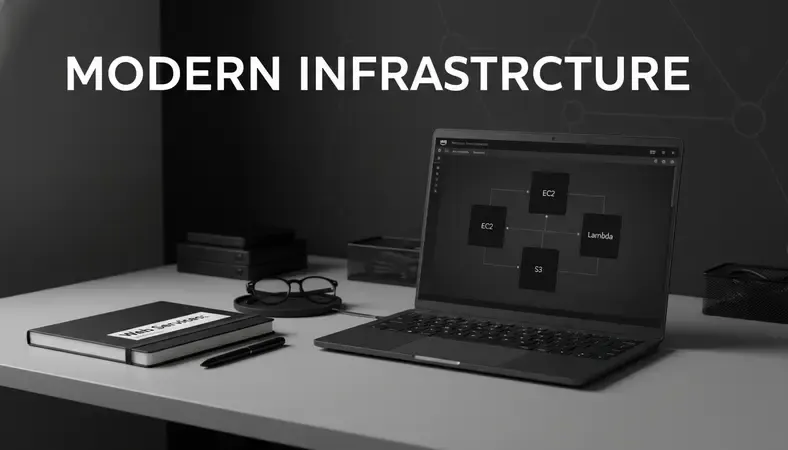
- EC2 (Elastic Compute Cloud): Virtual servers you can spin up in minutes. You choose the CPU, RAM, and operating system. This is the foundation of most AWS deployments.
- Lambda: Serverless computing — you run code without managing any server at all. You pay only when the code executes.
- Elastic Beanstalk: A managed platform for deploying web applications. You upload your code; AWS handles the infrastructure.
Storage
- S3 (Simple Storage Service): Object storage for files, images, backups, and static website assets. S3 is one of the most widely used services on the platform.
- EBS (Elastic Block Store): Persistent storage volumes that attach to EC2 instances, similar to a hard drive for your virtual server.
- Glacier: Low-cost archival storage for data you rarely access but need to keep.
Databases
- RDS (Relational Database Service): Managed databases running MySQL, PostgreSQL, SQL Server, or Oracle — without you managing the underlying server.
- DynamoDB: A fully managed NoSQL database built for high-speed, high-scale applications.
- Aurora: Amazon's own database engine, compatible with MySQL and PostgreSQL but significantly faster.
Networking and Security
- VPC (Virtual Private Cloud): Your own isolated network within AWS, giving you control over IP ranges, subnets, and routing.
- CloudFront: A content delivery network (CDN) that caches your content at edge locations worldwide, reducing load times for users in different geographies.
- IAM (Identity and Access Management): Controls who can access which AWS resources and what they can do. Security in Cloud environments starts here — IAM is the first thing you configure.
Developer and AI Tools
- CodePipeline and CodeDeploy: Continuous integration and deployment tools for software teams.
- SageMaker: A managed machine learning platform for building, training, and deploying AI models. For teams exploring AI and Cloud integration, SageMaker removes much of the infrastructure complexity.
Comparison of Core AWS Service Categories
| Category | Key Service | Best For | Pricing Model |
|---|---|---|---|
| Compute | EC2 | Running applications and servers | Per hour/second |
| Storage | S3 | Files, backups, static assets | Per GB stored + requests |
| Database | RDS | Relational data, structured queries | Per instance hour |
| Networking | CloudFront | Fast global content delivery | Per GB transferred |
| Serverless | Lambda | Event-driven code execution | Per million requests |
| Security | IAM | Access control and permissions | Free |
This table covers the services most Indian small businesses, SaaS companies, and ecommerce teams use when starting out. Most teams begin with EC2 or Elastic Beanstalk for compute, S3 for storage, and RDS for their database.
AWS vs Other Cloud Providers
AWS is not the only option. Microsoft Azure and Google Cloud Platform (GCP) are the two main alternatives, each with genuine strengths.
How the Major Providers Compare
| Provider | Market Share | Strongest Area | Best For |
|---|---|---|---|
| AWS | ~31% | Broadest service catalog, mature ecosystem | General workloads, startups, ecommerce |
| Microsoft Azure | ~25% | Microsoft product integration | Enterprises using Office 365, Windows Server |
| Google Cloud | ~11% | Data analytics, Kubernetes, AI/ML | Data-heavy applications, GCP-native teams |
AWS wins on breadth — no other provider matches its catalog of 200+ services. Azure wins when your business already runs on Microsoft software, because the integration is seamless. Google Cloud wins for teams doing heavy data analytics or using Kubernetes at scale, since Google invented Kubernetes and still leads in that area.
For most Indian startups, SaaS companies, and ecommerce businesses starting their cloud journey, AWS is the safest default. The talent pool of AWS-certified engineers in India is larger than for any other provider, which matters when you need to hire or work with a managed services partner.
AWS Pricing and Cost Structure
AWS pricing is one of the most common sources of confusion for new users. Here is how it actually works.
AWS uses a pay-as-you-go model with no upfront commitment required. You pay only for what you consume. There are three main pricing modes:
- On-Demand: Full price, no commitment. You pay by the hour or second. Good for unpredictable workloads or testing.
- Reserved Instances: You commit to one or three years of usage in exchange for up to 72% discount over On-Demand rates. Good for stable, predictable workloads.
- Spot Instances: You bid on unused AWS capacity at discounts of up to 90%. The catch — AWS can reclaim the instance with two minutes' notice. Good for batch processing or fault-tolerant workloads.
AWS also has a Free tier that gives new accounts 12 months of limited free usage across core services — including 750 hours per month of EC2 t2.micro, 5 GB of S3 storage, and 750 hours of RDS. For small businesses experimenting with aws web services, the Free Tier is a genuine way to test without spending money.
The most important cost management practice on AWS is right-sizing — making sure you are not paying for more compute or storage than your application actually uses. According to cloud cost optimization research, organizations waste an average of 32% of their cloud spend on idle or oversized resources. Tools like AWS Cost Explorer and AWS Trusted Advisor help identify and eliminate that waste.

Is AWS Right for Your Business?
AWS is not the right choice for every situation. Here is an honest breakdown by business type.
For small businesses
If you are running a small business website, a simple CRM, or a basic ecommerce store, the full AWS ecosystem may be more than you need. Managed hosting platforms built on AWS — like those offered through managed cloud services providers — give you the benefits of AWS infrastructure without requiring you to manage it yourself. That is often the better starting point.
If you are building something custom, processing significant transaction volumes, or need to scale quickly, AWS gives you the flexibility that shared hosting simply cannot.
For SaaS product companies
AWS is purpose-built for SaaS. The combination of auto-scaling compute, managed databases, global CDN, and built-in security tools means you can build a multi-tenant application that serves customers across India and globally without managing physical infrastructure. Most Indian SaaS companies run on AWS, Azure, or GCP — and AWS remains the most common choice.
For ecommerce businesses
Ecommerce workloads are highly variable — traffic spikes during sales events like Diwali or Big Billion Day can be 10x normal levels. AWS auto-scaling handles those spikes automatically, spinning up additional capacity during peak hours and scaling back down afterward. You pay for the peak when it happens, not year-round.
The combination of CloudFront for fast page loads, S3 for product image storage, and RDS for your product catalog covers the core infrastructure needs of most ecommerce operations.
When AWS might not be the right fit:
- You need a fully managed solution with zero internal technical overhead
- Your workload is small and stable enough that a VPS Web Hosting Services plan covers it
- Your team has no AWS experience and no plans to hire or partner with someone who does
Getting Started with AWS
Starting with aws web services is more straightforward than most people expect. Here is the practical path:
- Create a free AWS account: Go to aws.amazon.com and sign up. You will need a credit card for verification, but you will not be charged during the Free Tier period for eligible usage.
- Set up IAM immediately: Before doing anything else, create an IAM user with appropriate permissions and stop using your root account for day-to-day tasks. This is the single most important security step.
- Choose your first service: If you are deploying a web application, start with Elastic Beanstalk — it handles the server configuration for you. If you need simple file storage, start with S3.
- Enable billing alerts: Set a billing alarm in CloudWatch so you receive an email if your monthly spend exceeds a threshold you define. This prevents surprise bills.
- Use the AWS Well-Architected Framework: Amazon publishes a free framework covering best practices across five pillars — operational excellence, security, reliability, performance efficiency, and cost optimization. It is the best starting point for understanding Cloud Computing Architecture on AWS.
- Consider a managed services partner: If your team does not have AWS expertise in-house, working with a managed cloud services provider from day one is significantly cheaper than learning through costly mistakes.
The AWS documentation is genuinely comprehensive. Most common setup tasks have step-by-step tutorials in the official AWS docs.
Common Questions About AWS
What is the difference between AWS and Amazon Web Services?
There is no difference — they are the same thing. "AWS" is the abbreviation for Amazon Web Services. Both terms refer to Amazon's cloud computing platform. You will see both used interchangeably in technical documentation, job postings, and conversations.
Is AWS safe and secure for business data?
AWS is one of the most secure cloud environments available. It holds compliance certifications including ISO 27001, SOC 2, PCI DSS, and is compliant with India's IT Act requirements. AWS operates a shared responsibility model — AWS secures the underlying infrastructure, and you are responsible for securing what you build on top of it. That means configuring IAM correctly, encrypting sensitive data, and managing access controls. Security in Cloud environments on AWS is strong by default, but only if you configure your own resources correctly.
How much does AWS cost for a small business?
A simple web application running on a t3.micro EC2 instance, with an RDS database and S3 storage, typically costs between ₹2,000 and ₹8,000 per month depending on traffic and data volumes. The AWS Pricing Calculator (available at calculator.aws) lets you estimate costs before you commit to anything. Most small businesses find the Free Tier sufficient for initial testing and early-stage development.
Do I need technical expertise to use AWS?
Some technical knowledge helps, but AWS has significantly simplified its onboarding experience. Services like Elastic Beanstalk, Lightsail, and Amplify are designed for developers who want managed environments without deep infrastructure knowledge. For businesses without any technical staff, working with a managed cloud services provider is the practical path — they handle the AWS configuration and ongoing management on your behalf.
What is the AWS Management Console?
The AWS Management Console (sometimes called the amazon web services console) is the web-based interface where you access and manage all AWS services. You log in at console.aws.amazon.com and see a dashboard of every service available in your account. From there, you can launch servers, create databases, configure security settings, and monitor costs — all through a browser, without writing any code.
What This Means for You
If you are running a small business, building a SaaS product, or scaling an ecommerce operation in India, aws web services gives you enterprise-grade infrastructure without the enterprise-grade capital investment. The question is not whether AWS is capable — it is whether you have the right support to use it well.
Run your business on managed AWS infrastructure with Sygitech — expert configuration, ongoing management, and cost optimization handled for you, so your team focuses on the product, not the platform. Ready to get started? Visit Sygitech to learn more.